5 Best TexAu Alternatives & Competitors for Better LinkedIn Outreach (2025)

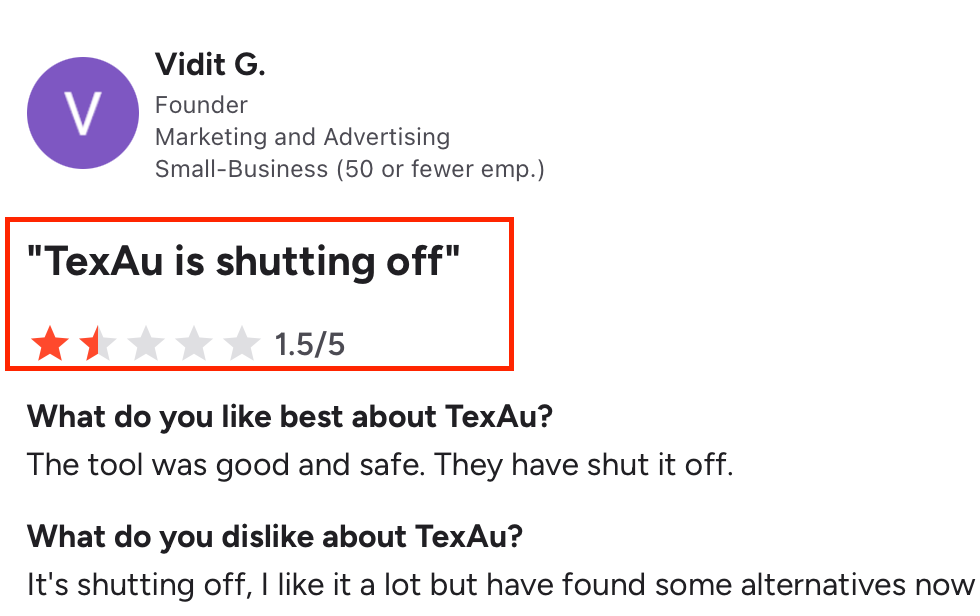
If you’re looking for TexAu alternatives, you’ve likely hit reliability or safety limits with your current setup.
We’ve evaluated the top replacements for 2025 with one goal: help you keep LinkedIn outreach running, safely, at scale, and without manual patchwork.
In this guide, we show you exactly:
- Why teams are moving off TexAu (stability, account-safety, and maintenance gaps).
- The essentials to demand in a replacement: cloud execution, reply inbox unification, warm-up and deliverability controls, deduping across senders, and AI-level personalization that doesn’t trip limits.
- The tools that actually perform better for LinkedIn automation this year, and which ones fit solo operators vs. growing teams.
Read on for a quick breakdown of what’s pushing users away from TexAu, then our shortlist of smarter, safer alternatives.
TL;DR
If you’re looking for tools that still do the job, here’s a quick list to save you time:
- Salesforge, helps you to send messages and emails on LinkedIn without limits. It runs smoothly and can even handle replies for you.
- Dripify is best if you just want to keep things simple. You can send connection requests, messages, and follow-ups easily.
- Dux-Soup, lets you control everything yourself. You can change how your messages go out, manage teams, and connect it to your CRM.
- Zopto, works well if you want everything ready to go. It helps you set up campaigns, track results, and manage your leads from one place.
- PhantomBuster is not just for LinkedIn. It helps you collect data and run outreach on many platforms like Google, Instagram, and Twitter.
If you only need LinkedIn automation, Dripify is a good start.
If you want to do more with email and LinkedIn together, try Salesforge.
And if you want to automate across many platforms, PhantomBuster will fit better.
Why Look for TexAu Alternatives?
Teams aren’t leaving TexAu because of opinions, they’re leaving because key features no longer support real outreach workflows.
1. LinkedIn Automation Is No Longer Supported

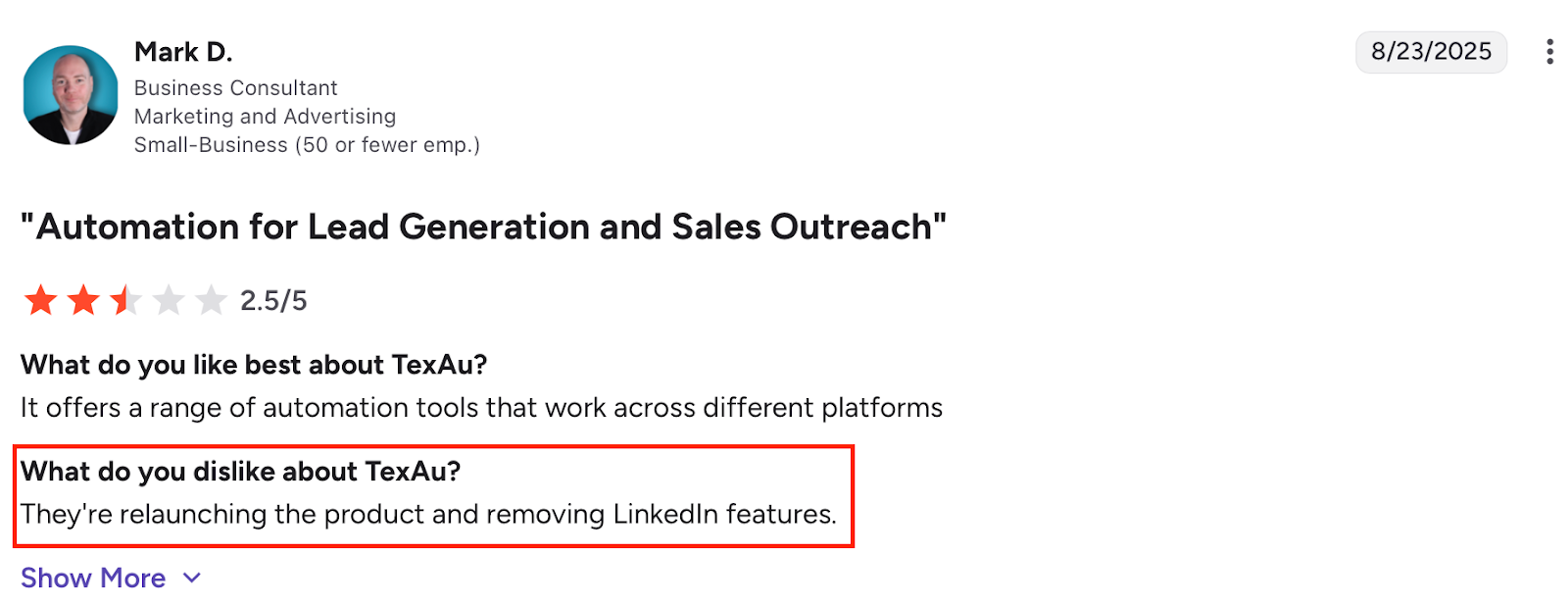
TexAu has removed LinkedIn automation entirely, making it unusable for connection requests, message sequences, or Sales Navigator outreach.
2. Automations (“Spices”) Don’t Run Reliably
Many TexAu spices require manual fixes due to missing fields, API limitations, or inconsistent data extraction before they can run.
3. Performance Drops When Scaling Workflows
Running multiple automations in parallel causes delays, queue backlogs, and incomplete jobs, especially across multiple accounts.

4. Automations Break After Platform UI Updates
TexAu workflows rely on front-end selectors, so LinkedIn or Facebook UI changes can stop automations without warning.
5. No Built-In Outreach Infrastructure
TexAu lacks a native inbox, email warm-up, deliverability controls, sender deduplication, or outreach safety throttling.
6. Limited Account Safety Controls
There are no dynamic limits, behavior-based throttling, or real-time compliance safeguards to protect LinkedIn accounts.
5 Best TexAu Alternatives & Competitors for LinkedIn Outreach
TexAu Alternatives – Feature-Level Comparison
1. Salesforge – Best for LinkedIn + Email Outreach

If you used TexAu and your automations kept breaking or the LinkedIn features stopped working, then Salesforge is what you should look at next.
Salesforge gives you unlimited LinkedIn and email outreach, full control over personalization, and an AI SDR called Agent Frank who can find leads, send messages, follow up, and even book meetings, all on autopilot.
Key Features
- 24/7 AI prospecting and outreach with Agent Frank
- Auto-Pilot or Co-Pilot modes (you decide how much AI control you want)
- Unlimited mailboxes and LinkedIn senders
- Built-in email warm-up and deliverability tools (Infraforge, Warmforge)
- Works in 20+ languages
- Dedicated account manager and shared Slack support
TexAu vs Salesforge
Pros
- Native LinkedIn automation with active support and compliance controls.
- LinkedIn and email outreach run from a single, unified platform.
- Unlimited LinkedIn senders and email mailboxes with no seat caps.
- Built-in email warm-up and deliverability monitoring included.
- Unified inbox to manage LinkedIn and email replies in one place.
- AI SDR (Agent Frank) can source leads, send messages, and follow up automatically.
- AI-driven personalization adapts messaging per prospect and language.
- Fully cloud-based execution with no browser or local dependency.
- Automatic safety throttling to stay within LinkedIn and email limits.
- Native HubSpot and Salesforce integrations without Zapier.
Cons
- Higher entry cost than LinkedIn-only automation tools.
- Full AI SDR automation requires higher-tier plans.
- Overkill for users who only need basic LinkedIn actions.
- Less manual step-by-step control compared to low-level automation tools.
- Setup depth may feel heavy for solo users running small campaigns.
Pricing

- Pro Plan: $40/month, great for solo users starting out
- Growth Plan: $80/month, best for teams scaling outreach
- Agent Frank Plan: $416/month, your personal AI SDR that handles prospecting and meetings automatically
All plans include unlimited contacts, premium warm-up, and Primebox™ unified inbox.
Ideal For
Salesforge is perfect if you want to replace TexAu with something faster, safer, and smarter.
It helps you scale your LinkedIn and email outreach without limits or bugs, and you never have to worry about broken automations again.
But if you’re only looking for a LinkedIn-focused TexAu alternative that’s easy to set up and manage, then Dripify is worth checking out next.
2. Dripify – Best TexAu Alternative for Simple LinkedIn Automation

If you like TexAu mainly for automating your LinkedIn tasks, then Dripify is the one that focuses on doing LinkedIn automation
You can send connection requests, view profiles, message prospects, and build smart drip campaigns that run while you’re offline.
The interface is clean, setup takes minutes, and it feels stable compared to TexAu’s buggy workflow system.
Key Features
- LinkedIn & Email Automation: Automate connections, messages, and follow-ups with LinkedIn actions and email sequences.
- Drip Campaign Builder: Build complete workflows using drag-and-drop steps, delays, and conditions.
- Built-in LinkedIn Protection: Runs safely within daily LinkedIn limits to reduce ban risk.
TexAu vs Dripify
Pricing
Dripify offers four clear pricing tiers:
- Basic – $59/month: 1 campaign, limited daily quotas, basic analytics
Pro – $79/month: Unlimited campaigns, full quotas, dedicated inbox
- Advanced – $99/month: Adds team management and advanced LinkedIn protection
- Enterprise – Custom: For larger teams with dedicated onboarding and success manager
Each plan includes a 7-day free trial, no credit card required.
Pros
- LinkedIn actions are rate-limited automatically to match daily connection and messaging caps.
- Campaigns execute sequentially per account, reducing overlap and flag risk.
- Visual funnel reports show invite sent, accepted, replied, and ignored states.
- Built-in email finder pulls emails directly from LinkedIn profile data.
- Email verifier checks bounce risk before sending follow-ups.
- Campaign builder enforces step order to prevent unsafe action stacking.
Cons
- No native Salesforce integration; requires Zapier for CRM syncing.
- Live campaigns cannot be edited once actions are queued.
- Email finder mainly returns LinkedIn-associated or scraped emails, not deep corporate sources.
- Entry pricing is high relative to single-account LinkedIn automation tools.
- Advanced filters, team analytics, and protection controls are restricted to higher plans.

Ideal For
Dripify is ideal for founders, consultants, or small teams who just want to automate LinkedIn outreach without complex setups or extra tools.
But if you prefer something more customizable, where you can tweak every action, tag, or follow-up manually, then Dux-Soup might be the better choice. .
3. Dux-Soup – Best TexAu Alternative for Manual Control
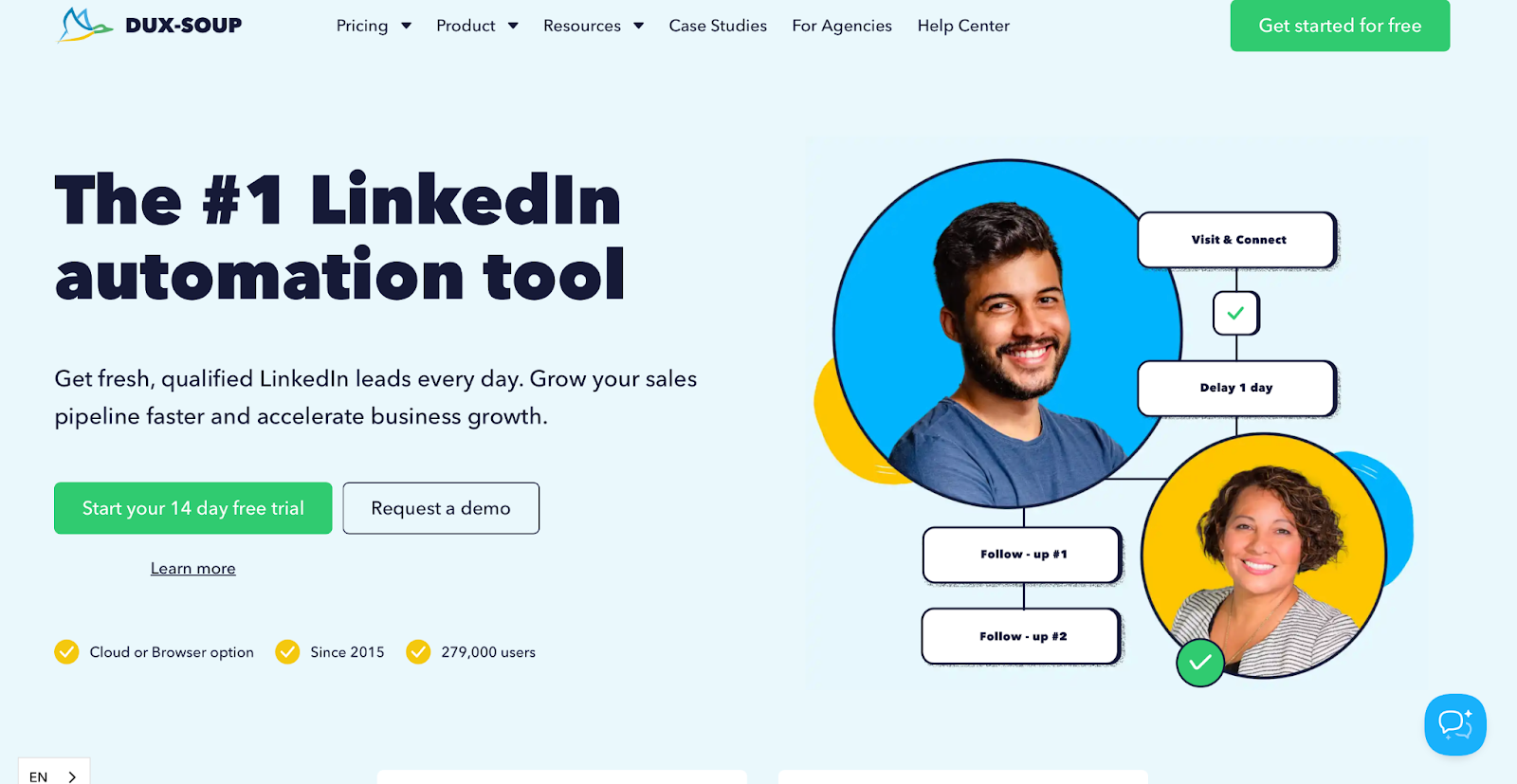
If you like TexAu for the freedom to build custom automation flows, then Dux-Soup will feel familiar, just a lot more stable.
It gives you complete control over every LinkedIn action, whether it’s profile visits, follows, messages, or endorsements.
Key Features
- LinkedIn Automation: Automate profile visits, connection requests, messages, follows, and endorsements.
- Drip Campaigns: Build custom sequences with drag-and-drop actions and time delays.
- Lead Management: Centralized inbox to view replies and manage leads easily.
- CRM Integrations: Connect with HubSpot, Pipedrive, or your own database through webhooks.
- Safety Controls: Mimics human behavior to stay compliant with LinkedIn’s automation limits.
TexAu vs Dux-Soup
Pricing

Dux-Soup offers multiple plans depending on your setup needs:
- Pro Dux – $14.99/month: Basic automation like visits, messages, tagging, and downloads.

- Turbo Dux – $55/month: Unlimited drip campaigns, lead dashboard, and CRM integrations.
- Cloud Dux – $99/month: Cloud automation with managed safety and 24/7 uptime.

- Cloud Agency – $371/month: Manage 5+ LinkedIn accounts with a single dashboard.
Each plan comes with a free trial and yearly discounts up to 20%.
Pros
- Supports core LinkedIn actions like profile visits, connection requests, and messages.
- Uses throttling to mimic human behavior and reduce LinkedIn risk.
- Works well with Sales Navigator list imports for bulk outreach.
- Can run campaigns in the background without constant supervision.
- Offers both browser-based and cloud-based execution options.
Cons
- Campaign messages cannot be edited once prospects are queued.
- Queued actions do not update after campaign edits.
- No built-in CRM, pipeline, or lead workflow management.
- HubSpot integration is limited and lacks deep data syncing.
- Team campaign features are restricted in cloud plans.
- UI requires careful setup to avoid misconfiguration.
- Slot-based pricing can charge for unused capacity.

4. Zopto – Best TexAu Alternative for AI LinkedIn Lead Generation
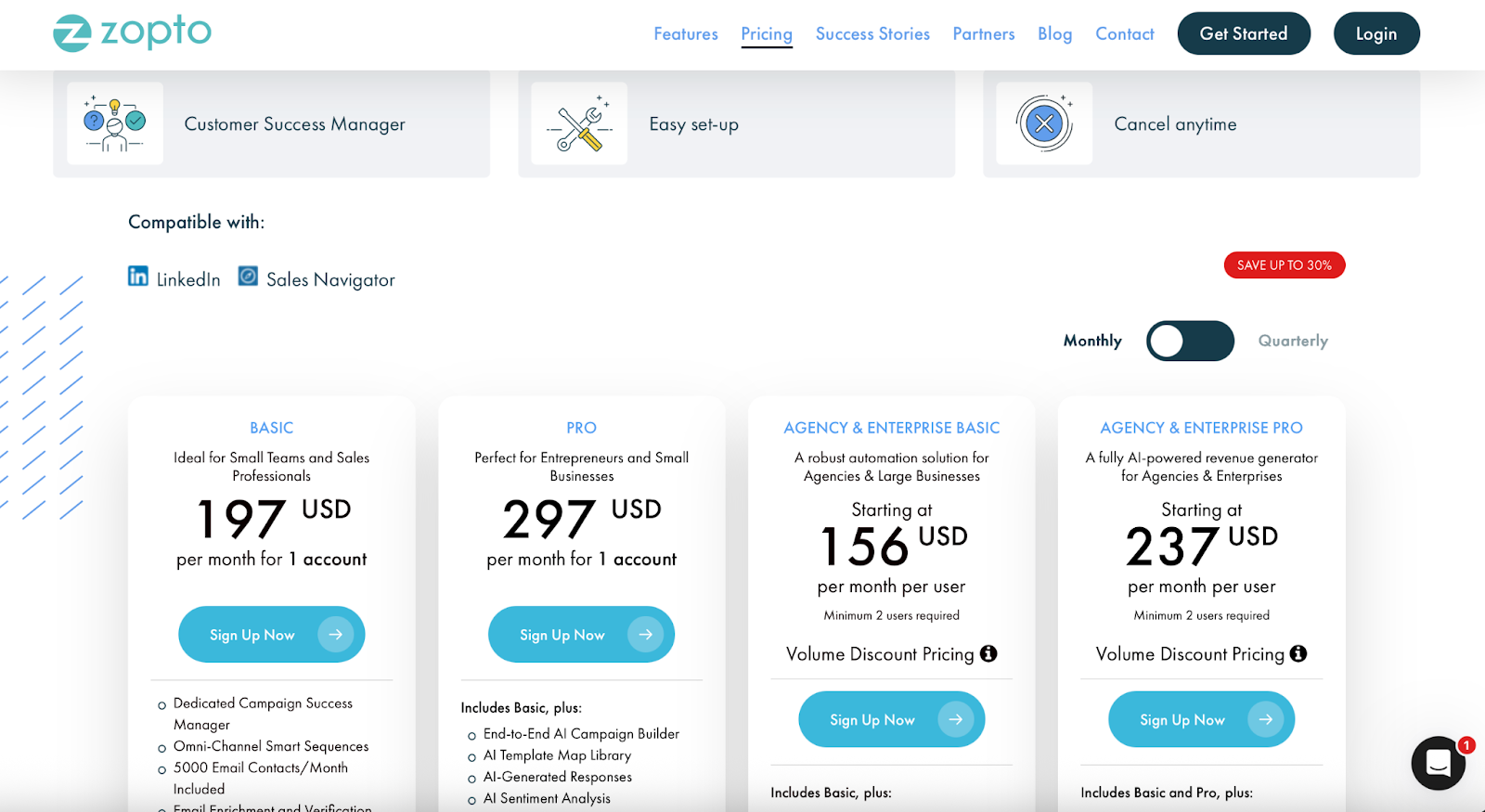
Zopto offers a much cleaner, AI-assisted way for LinkedIn Outreach than TexAu.
You can create campaigns, track analytics, and even A/B test messages, all from one dashboard.
Key Features
- AI Campaign Builder: Automatically creates full outreach sequences using ChatGPT-4 prompts.
- LinkedIn Automation: Handles profile visits, connection requests, endorsements, post engagement, and follow-ups.
- Omni-Channel Sequences: Combine LinkedIn with email outreach for better response rates.
- Email Enrichment & Verification: Pull verified business emails and clean your lists.
- A/B Testing: Optimize outreach messages for better conversions.
- Dashboard Analytics: Get real-time performance tracking and campaign insights.
- CRM Integrations: Direct sync with HubSpot, Salesforce, and Google/Microsoft inboxes.
- Agency Dashboard: Manage multiple users, clients, or sub-agencies with shared templates and global settings.
TexAu vs Zopto
Pricing
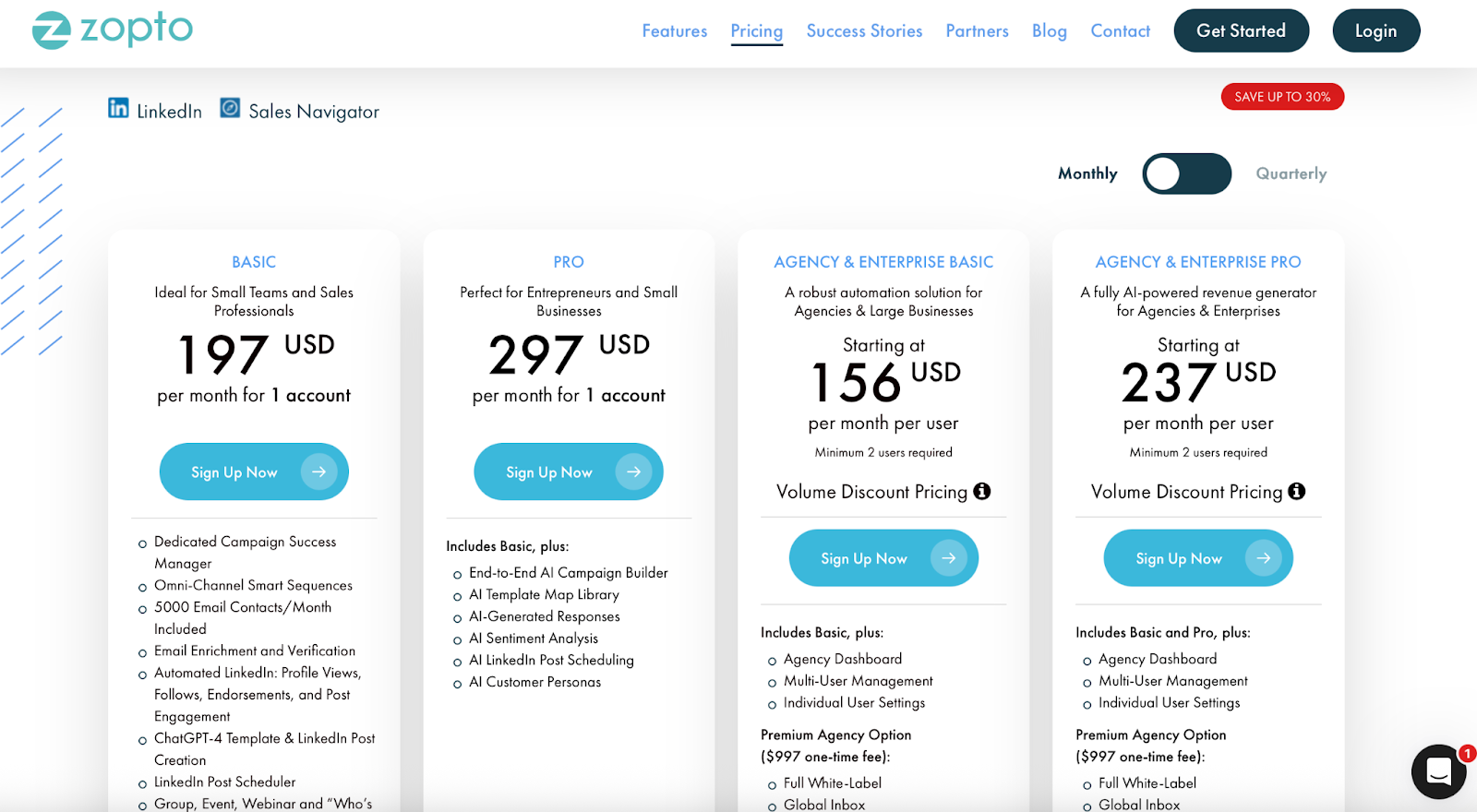
Zopto offers transparent pricing with monthly or quarterly billing:
- Basic – $197/month: 1 account, LinkedIn + email automation, enrichment, 5,000 email contacts/month, CRM integrations.
- Pro – $297/month: Adds AI campaign builder, AI templates, sentiment analysis, and customer personas.
- Agency Basic – from $156/month/user: Multi-user management, agency dashboard, white-label option ($997 one-time).
- Agency Pro – from $237/month/user: Adds AI sequences, global templates, DNS setup, and advanced automation.
Each plan includes a dedicated success manager and free onboarding help.
Pros
- Easy to use with AI-guided campaign setup.
- Combines LinkedIn + email for a multi-channel approach.
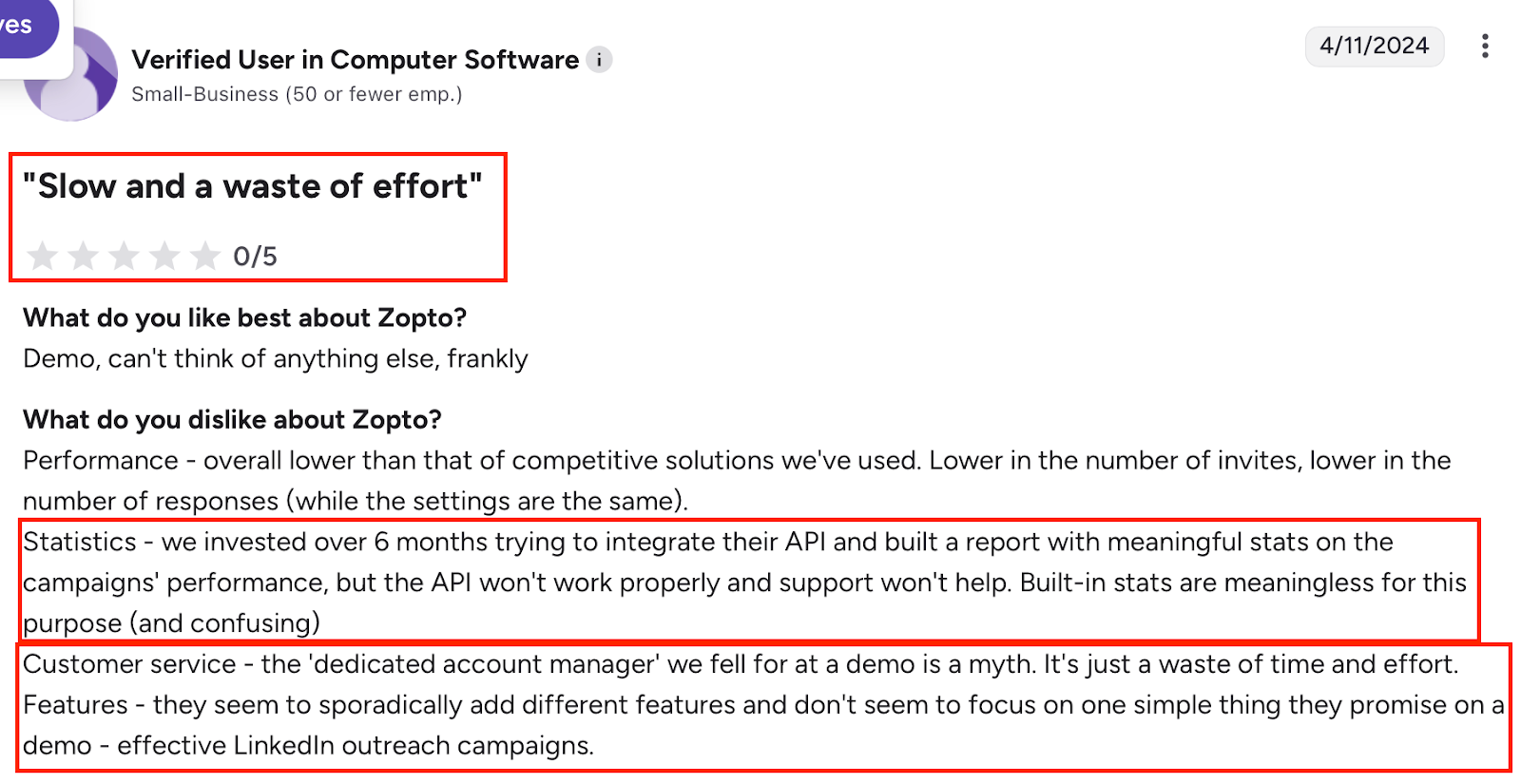
- Great customer support with dedicated account managers.
- Built-in email enrichment and A/B testing tools.
Cons
- Pricing is higher than other tools, especially for single users.
- Limited design editor for email templates (text-based only).
- Not ideal for users who prefer manual control over AI automation.
Ideal For
Zopto is ideal for founders, small teams, and agencies who want a ready-to-go, AI LinkedIn lead generation tool with CRM integrations and strong account management support.
and you’d rather have full flexibility to build automations your way, then PhantomBuster is a great final option to explore.
5. PhantomBuster – Best Alternative to TexAu for Multi-Platform Automation and Data Scraping
PhantomBuster is a cloud-based automation tool that helps you scale outreach, lead generation, and data collection.
Unlike TexAu, which focuses mainly on smaller workflow automations, PhantomBuster lets you automate across 100+ platforms, from LinkedIn and Google Maps to Instagram, Twitter (X), and Sales Navigator.
You can chain tasks, schedule them in the cloud, and even connect your data to Google Sheets or your CRM automatically.
Key Features
- 100+ Ready-Made Phantoms: Automate LinkedIn, Google, Instagram, Sales Navigator, and more.
- No-Code Workflow Builder: Combine multiple automations in one smooth sequence.
- AI Credits: Use built-in AI to personalize and enrich automations.
- CRM Integrations: Connect with HubSpot, Salesforce, and Zapier.
TexAu vs PhantomBuster
Pricing
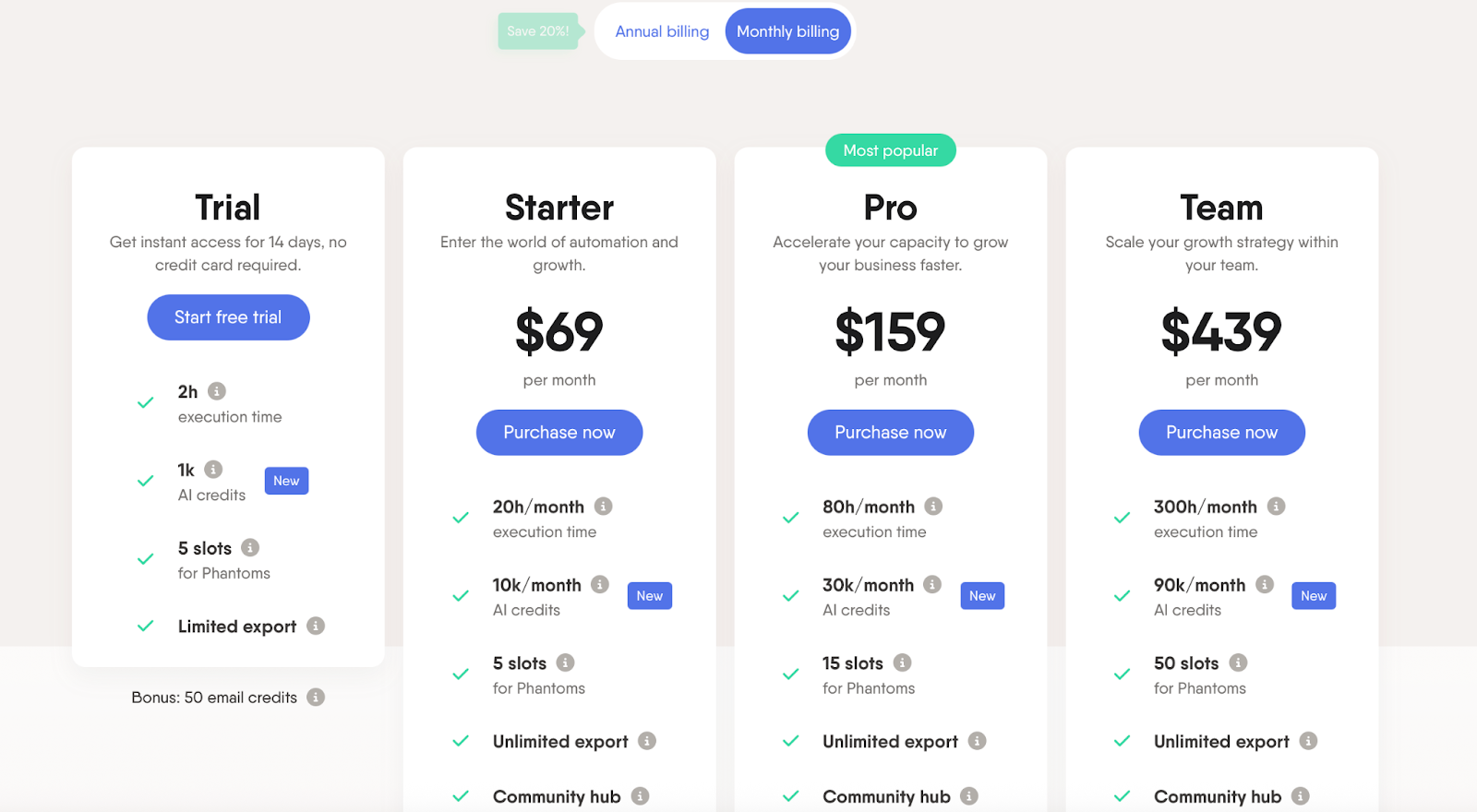
PhantomBuster’s pricing depends on how many automation hours and slots you need:
- Starter – $69/month: 20 hours/month, 10K AI credits, 5 Phantom slots, 500 email credits.
- Pro – $159/month: 80 hours/month, 30K AI credits, 15 slots, priority support, 2,500 email credits.
- Team – $439/month: 300 hours/month, 90K AI credits, 50 slots, 10,000 email credits.
- Free Trial – 14 days: 2 hours, 1K AI credits, and 5 slots to test automations.
Annual plans include 20% off and access to faster support.
Pros
- Large library of ready-made automations for LinkedIn and other platforms.
- Fully cloud-based execution with scheduling and recurring runs.
- Can chain multiple automations to handle scrape → enrich → outreach flows.
- Works where native APIs are unavailable, especially for LinkedIn tasks.
Cons
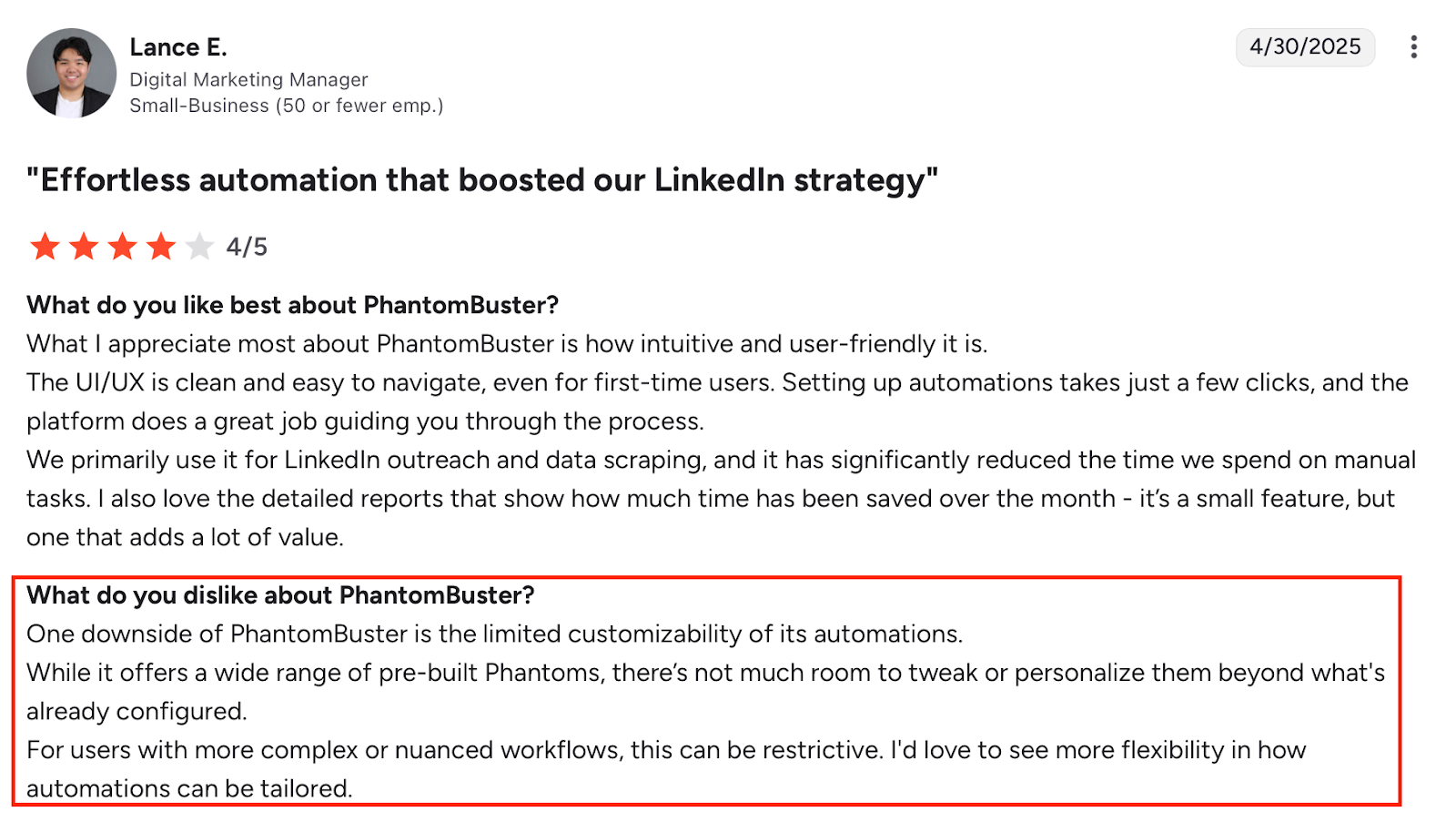
- No true custom workflow builder; limited to chaining pre-built Phantoms.
- Complex workflows become difficult to manage as the number of Phantoms grows.
- Requires regular LinkedIn session cookie updates to avoid run failures.
- Usage-based pricing (hours, slots, credits) can feel restrictive at scale.
- Limited ability to customize logic inside individual automations.
11 Best Phantombuster Alternatives & Competitors for Sales Outreach in 2025
Which TexAu Alternative Should You Choose?
TexAu is slow, buggy, and does not provide LinkedIn automation.
These alternatives actually work better, faster, and are easier to use.
Here’s a quick recap to make your decision easier 👇
If you want all-in-one LinkedIn + email automation:
Go with Salesforge, it handles everything from finding leads to booking meetings, and you never have to worry about broken automations or limits.
If you only want simple LinkedIn automation:
Try Dripify, it’s easy to use and safe for daily LinkedIn tasks.
If you want full control and flexibility:
Pick Dux-Soup, it gives you complete control over your campaigns.
If you run multiple campaigns or manage clients:
Choose Zopto, it’s great for agencies and teams with built-in AI setup and CRM sync.
If you want to automate more than LinkedIn:
Go for PhantomBuster, it lets you build automations across 100+ platforms.
It combines LinkedIn and email outreach, AI-powered personalization, built-in deliverability tools, and an SDR agent (Agent Frank) who can handle your outreach end-to-end.
No broken automations. No complex setup. Just results.
👉 Try Salesforge today and see how easy LinkedIn and email outreach can actually be.
.png)

.png)
.png)